I once watched a builder spend two hours on {{ $json.name }}. The expression looked right. The node before it clearly output a name field. But n8n kept insisting the value was undefined — and every “fix” they tried made it worse. The problem was never the syntax. It was the mental model underneath it: they were thinking in variables, and n8n thinks in items.
That single mismatch causes most beginner expression errors I have seen in the n8n community — the “Referenced node is unexecuted” errors, the “Cannot resolve paired item” errors, the expressions that work on the first item and silently break on the rest. An item is one JSON object flowing through your workflow; an expression is a template that n8n re-evaluates once per item. Learn that sentence properly and the error messages start reading like instructions instead of riddles.
Everything is a list of items
Forget variables. When a node runs in n8n, its output is always a list of items, where each item is a JSON object. A Webhook trigger receiving one request outputs one item. A Google Sheets node reading 50 rows outputs 50 items. A Code node that returns an array creates one item per array element.
An expression is anything wrapped in {{ }} — n8n’s handlebars-flavored JavaScript that gets evaluated at runtime. Here is the part beginners miss: n8n evaluates your expression once for every item passing through the node. If 50 items flow into an Edit Fields node, the expression runs 50 times, and $json means something different each time.
$json is the current item’s data, right now, in this node. Not “the data from the previous node” in the abstract — the specific item currently being processed. That distinction is the whole game.
The three references you actually need
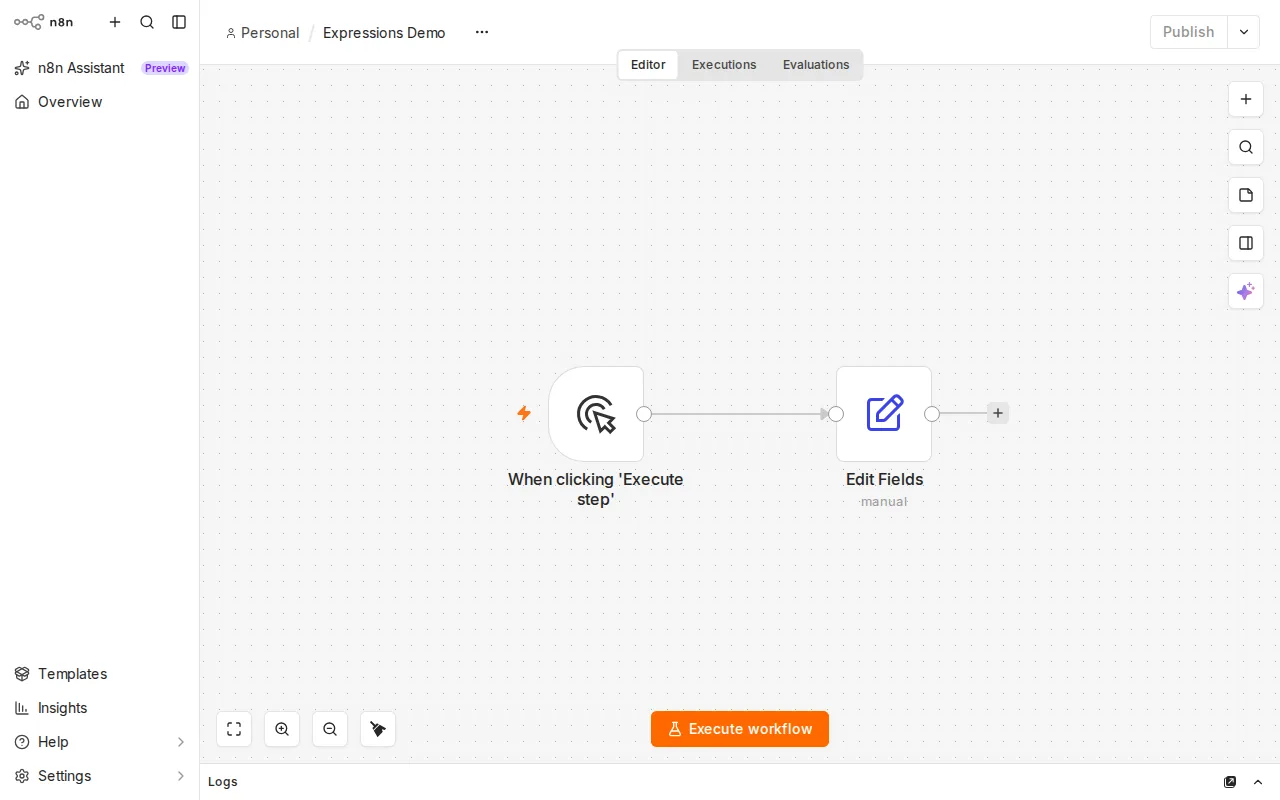
{{ $json.email }} do their work.You only need three expression tools for 90% of workflows. Learn them in this order:
1. $json — this item, this node. Inside any expression, $json.email reads the email field of the item currently being processed. It is always relative to where the expression sits, not where the data came from.
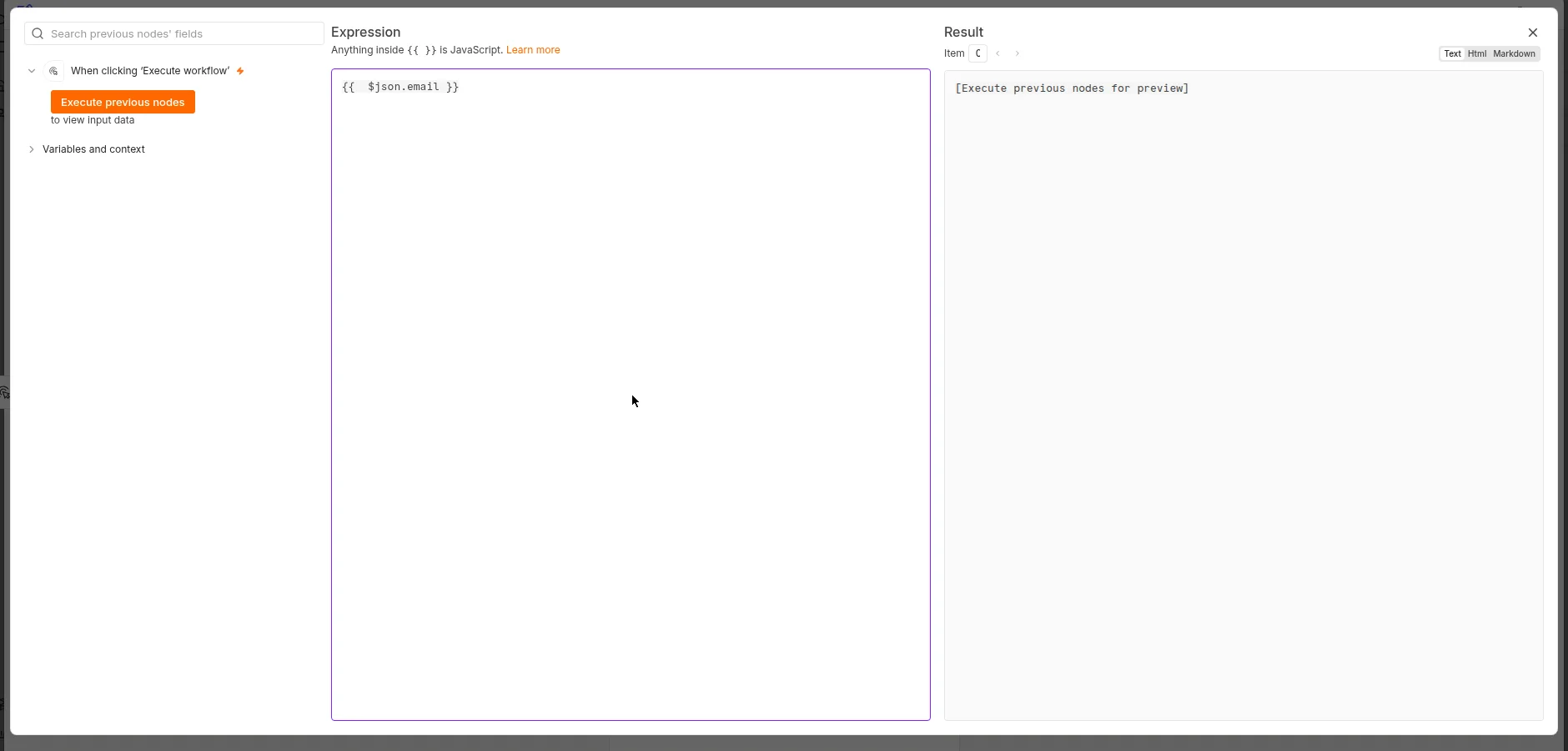
{{ $json.email }} on the left, the live Result preview on the right. The preview is the fastest way to learn — type, watch, adjust.2. $('Node Name') — reach across the canvas. To read another node’s output, name it: {{ $('Webhook').first().json.email }} grabs the email field from the first item the node named “Webhook” produced. The .first() matters — $('Webhook') alone is the list of items, and a list has no .email field. Use .last() for the final item, or .all() when you genuinely want every item (which returns an array).
3. $input — shorthand for the current node’s input. $input.first().json is the first incoming item of the node your expression lives in. Useful inside Code nodes and anywhere you want to be explicit about “what came into me”.
One more tool for the day expressions get complicated: if you need multiple statements — loops, intermediate variables — wrap them in an IIFE (an immediately-invoked function expression):
{{ (() => {
  const parts = $json.name.split(' ');
  return parts[0].toLowerCase() + '.' + parts[parts.length - 1].toLowerCase();
})() }}
Plain {{ }} holds a single expression; the IIFE wrapper lets you write real multi-line JavaScript inside it. And when expressions get long enough to need this trick twice, n8n’s own docs recommend switching to the Edit Fields (Set) node — named fields with one expression each beat one giant inline expression every time.
The invisible thread: paired items
Here is the concept no tutorial teaches simply, and the one behind the nastiest errors. n8n remembers, for every output item, which input item produced it. This is paired-item linking: item 7 out of your Filter node knows it came from item 7 of the node before.
Why it exists: when you write $json three nodes downstream, n8n uses pairing to find which upstream item corresponds to the current one. It is genuinely clever — until a node breaks the chain.
“Cannot resolve paired item” is the classic symptom. It shows up after operations that destroy the pairing: extracting data from files, some Code node patterns that rebuild items from scratch, or branches that merge unevenly. The node is telling you: “you asked me which input item this output came from, and I have no record.” The fixes, in order of preference:
- Do not cross the broken bridge. Restructure so the expression reads from a node before the pairing break, using
$('Node Name').first().json. - Rebuild the pairing explicitly. In a Code node, return items with
pairedItemset so downstream nodes can trace them again. - Merge before you reference. A Merge node re-joins branches and re-establishes item correspondence for the common cases.
This error is the single most-posted expressions question in the n8n community — once you recognize it as a pairing problem rather than a syntax problem, it stops being scary.
The 5 errors, and what each one is actually telling you
Error 1: “Referenced node is unexecuted.” You referenced $('Some Node') but that node has never run in this session — so it has no output to read. Run the upstream node first (select it and run just that node), or pin its output during development: pinned data freezes a node’s output so manual runs reuse it without re-calling APIs. Note that production executions always ignore pinned data — it is a development convenience, never a deployment mechanism.
Error 2: $json reads the wrong item. Your expression works on item 1 and returns garbage on item 40. Almost always, the expression sits downstream of a SplitInBatches loop or a branch, and $json is the current item of the current node — not the item you were thinking of. Fix it by naming the source explicitly: {{ $('Google Sheets').all()[3].json.email }} instead of hoping $json still points where it did three nodes ago.
Error 3: “Cannot resolve paired item.” Covered above — a node broke the input-to-output lineage. Reach back with $('Node Name') instead of $json, or rebuild the pairing.
Error 4: the expression needs real logic. You are nesting ternaries three deep or need a loop. Wrap it in an IIFE as shown above. If the IIFE itself is getting long, that is the codebase telling you to move the logic into a Code node, where you get an editor, test runs, and readable errors.
Error 5: silent wrong data — arrays where you expected one value. {{ $('Webhook').json.email }} looks reasonable and evaluates to nothing useful, because $('Webhook') is a list and lists do not have .json. You wanted .first().json.email. The inverse mistake: using .first() when you needed .all() and wondering why only one row processed. When an expression returns empty without an error, check whether you are addressing a list as if it were an item, or an item as if it were a list.
A bonus from the community trenches: workflows that “succeed” but silently stop inside splitInBatches loops are usually items disappearing at a pairing break — the execution ends with a green checkmark and half your data never processed. Green does not mean correct; spot-check item counts between nodes when a loop is involved.
The obvious objection: “can’t I just use the Code node for everything?”
You can, and for heavy data transformation you should. But expressions are n8n’s native language for the small stuff — mapping one field to another, building a URL, formatting a date with the built-in Luxon DateTime. Replacing every {{ $json.id }} with a Code node is like writing a Python script to rename one file: it works, and it costs you readability and the visual data flow that makes n8n worth using. The right split: expressions for field-level mapping, Code nodes for logic.
Key Takeaways
- n8n thinks in items, not variables — every node output is a list of JSON objects, and every expression re-runs once per item.
$jsonmeans “this item, right now, in this node” — when it points somewhere unexpected, you are standing in a different node than you think.- Name the node when in doubt —
$('Node Name').first().json.fieldis explicit about source, item, and field;$json.fieldis a guess. - “Cannot resolve paired item” is a lineage problem, not a syntax problem — some node broke the input-to-output thread; reach back past the break.
- Green checkmarks lie about data — verify item counts across loops and branches instead of trusting the success status.
Next: open your most confusing workflow, click any node, and read its output as a list of items instead of “the data”. Then rewrite one $json reference as an explicit $('Node Name').first().json reference. That single habit prevents more debugging sessions than any other n8n skill I know.