Searches for “microsoft outage” hit 5 million in the US in the past 24 hours — the #1 trending search on Google Trends this morning — and the reason is not a product launch. On Thursday, 12 November 2026, Microsoft 365 went down for more than five hours, taking Outlook, Teams, SharePoint and Copilot with it across 74 countries. The part that matters for this blog: the outage also broke the connectors OpenAI’s and Anthropic’s AI services use to reach Microsoft accounts. Copilot lost its data, ChatGPT’s Microsoft connectors stopped working, and Claude’s mail, calendar and search tools started failing for most requests.
The AI layer was fine. The control plane underneath it was not. This article covers what happened, hour by hour, why it happened, and the six-part resilience pattern I would build into any n8n workflow that touches Microsoft 365 — because the next outage will not announce itself either.
What went down, hour by hour
All times are 12 November 2026 unless noted. The incident codes are Microsoft’s own, from the Microsoft 365 admin center.
| Time | What happened |
|---|---|
| 9:45–10:53 a.m. ET | A separate Teams incident (TM1550488) delays or fails messages in North and South America. Microsoft traces it to resource contention and confirms it resolved. |
| 16:17 UTC (11:17 a.m. ET) | The Exchange Online incident (EX1550543) begins, per Microsoft. |
| ~17:25 UTC (12:25 p.m. ET) | Outlook reports on Downdetector start climbing sharply. |
| 1:26 p.m. ET | Microsoft opens a wider advisory (MO1550821): Exchange Online, Microsoft Teams, SharePoint Online, Microsoft 365 Copilot and Microsoft Defender XDR may be unreachable. |
| ~1 p.m. ET | Downdetector logs its peak: about 138,000 Outlook reports. Combined reports across five Microsoft services peak at 19,650 per minute at 18:25 UTC — against fewer than 15 per minute on a normal Thursday. Outlook reports run more than 2,000 times their normal level. |
| Afternoon | Reports reach 74 countries and territories within about an hour. Microsoft 365, Copilot, Teams and OneDrive complaints each jump more than a hundredfold; Azure rises roughly a hundredfold. Microsoft’s own public status dashboard briefly goes offline under the strain. |
| 5 p.m. ET | Microsoft concedes its actions so far “have not provided the anticipated relief”. |
| 6:57 p.m. ET | First signs of recovery: “We’re returning a portion of affected servers to the service, and they remain stable so far.” Recovery is gradual; report volumes fall to roughly 32,000 by the evening. |
| 13 Nov, morning IST | Status: recovering. Microsoft has restored many affected servers but has not published a full root cause. |
It is not the first Microsoft 365 disruption this year: January brought multi-hour outages, and an August code-update failure took several days to fully resolve.
Why it happened: a health check that killed healthy servers
Microsoft’s explanation, in its own updates, is a cascade failure — and the trigger was the safety system itself, not an attack.
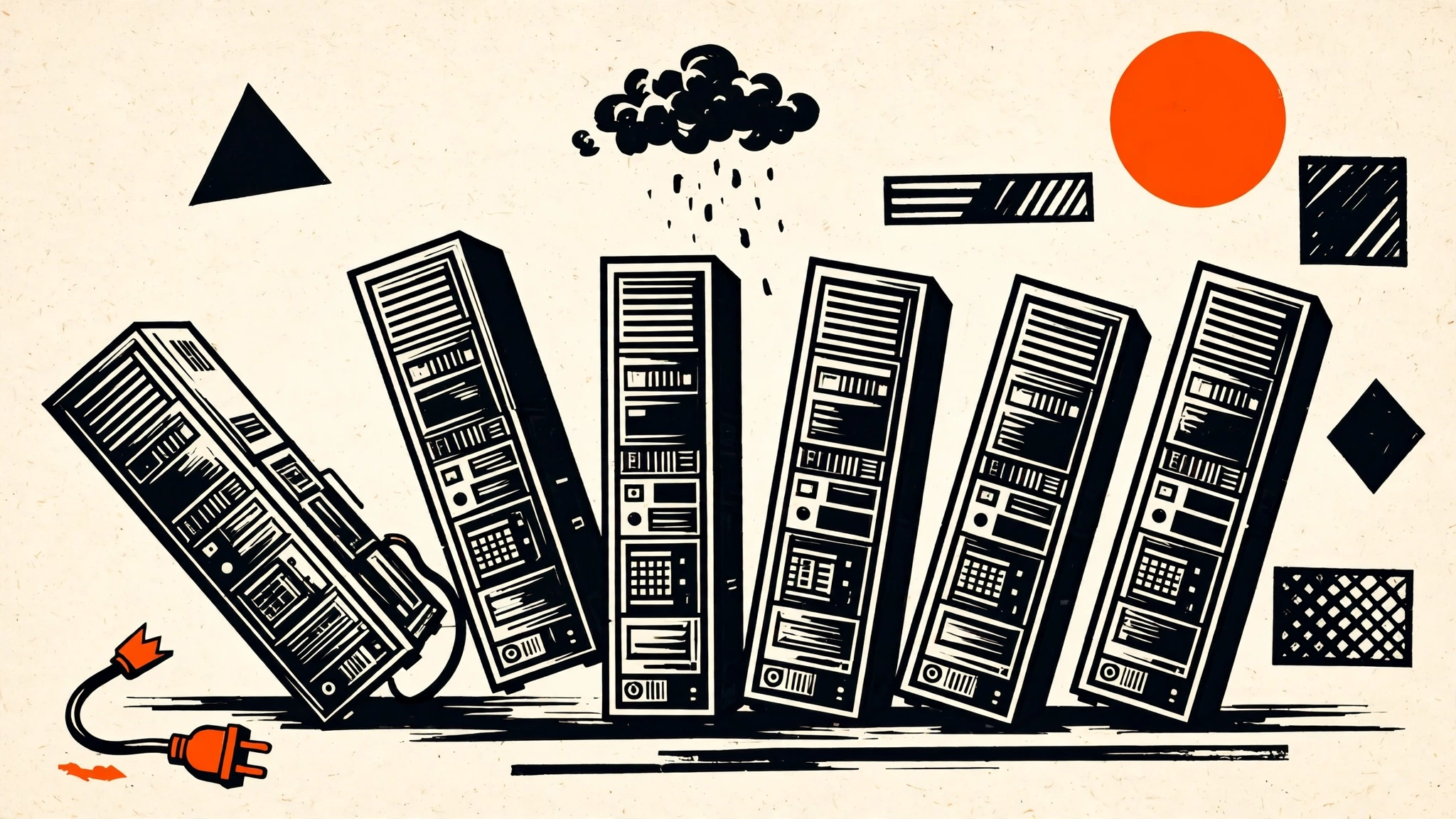
A large pool of servers unexpectedly failed their automated health diagnostics and dropped offline. As user traffic automatically shifted onto the remaining servers, a core process became overwhelmed by elevated processor usage, and healthy servers started turning unresponsive in a domino effect. Microsoft later identified “a specific component that’s responsible for processing server health” as the likely culprit and said it was testing a configuration change to fix it.
Three things are worth noting about the response:
- Microsoft first blamed load, then corrected itself. The early updates described elevated load across multiple regions. The later updates say the elevated load “isn’t driven by an increase in traffic, but by a number of servers being unexpectedly unavailable”. The load was real; the cause was missing servers, not extra users.
- The fix was a workaround, not a repair. Engineers froze all routine software deployments and configuration updates, rerouted traffic onto alternative infrastructure, and deployed an alternative health-check method so restarted servers could safely rejoin the service. The failing component was bypassed, not fixed on the spot.
- It was not a cyberattack. Microsoft says the disruption stemmed from internal infrastructure failures, and nothing in its investigation pointed to external intrusion. No full root-cause analysis had been published as of the morning of 13 November IST.
The lesson in one line: the monitoring that was supposed to protect the servers is what took them down — and every system downstream inherited the failure.
The agent angle: Copilot went blind, and so did ChatGPT and Claude
This is why the outage belongs on an AI-agents blog. Microsoft 365 Copilot did not break because its model failed. It broke because the data it reads — mailboxes, files, calendars — disappeared underneath it. The same thing happened to the competing assistants:
- OpenAI said it was investigating an issue with its Microsoft connectors, warning that new connections could be broken and tools might not work as expected.
- Anthropic said it had identified an issue with an upstream provider affecting its Microsoft 365 connector — and CNET reported that its mail, calendar and search tools were “failing for most requests”.
- Copilot itself was listed among the affected services, unable to reach the inboxes and files it summarises and acts on.
The models kept running. The data they needed to function disappeared with the control plane. That is the architectural reality this outage exposed: Copilot’s availability rides entirely on the same infrastructure that powers Outlook, Teams and SharePoint. When Exchange Online fails, every assistant that queries user mailboxes goes dark, regardless of how robust the AI inference layer is.
The blast radius went wider than Microsoft’s own products. Salesforce now runs its Agentforce Coworker inside Microsoft Teams, so a Teams outage takes a third-party agent platform down with it. Any n8n workflow that reads Outlook mail, posts to a Teams channel, or pulls a SharePoint file sits on the same dependency — and it fails the same way, silently, unless you designed for it.
 Fig 1 — The cascade rig. Server cells share one load beam; when the health-check dial drops, cells fall off and the surviving cells take the whole load until they turn unresponsive too. The numbers are from the outage: a 19,650-reports-per-minute peak, 74 countries, and more than five hours down.
The n8n resilience pattern: six things to build before the next outage
You cannot fix Microsoft’s outage. You can decide what your workflows do when it happens. The pattern below is what I would add to any n8n workflow that touches Microsoft 365 — and it is cheap to build now, while the failure is fresh.
1. Probe the dependency before the agent acts
Put a status check at the start of any workflow that calls Outlook, Teams, SharePoint or OneDrive: one lightweight call — a mailbox read, a channel list, a status-endpoint ping — before the agent burns tokens on work that cannot succeed. If the probe fails, stop there. An agent that spends ten minutes reasoning about an email it can never fetch has wasted the run and, worse, may invent an answer from stale context.
2. Fail loudly, never silently
Give the workflow an error branch that alerts you on a channel that does not depend on Microsoft 365 — Telegram, Slack, or a plain webhook to your phone. Log the failed run with the incident code (EX1550543, MO1550821) so you can match it to Microsoft’s status page later. A workflow that reports success when its tool never ran is worse than a workflow that crashes: the crash gets fixed, the silent failure gets discovered by a customer.
3. Queue, don’t drop
When a tool call fails, park the job in a queue instead of discarding it — n8n’s queue mode, or a database table with a stable idempotency key per action — and retry with backoff. The idempotency key matters: when service returns, the retry must not send the same email twice or post the same message twice. Our idempotency gate pattern is the exact shape for this — INSERT ... ON CONFLICT DO NOTHING as the first node, so a duplicate execution is claimed once and rejected after that.
4. Keep a fallback channel that doesn’t sign in through Microsoft 365
The outage took sign-in down with the apps. A fallback that authenticates via Microsoft 365 is not a fallback. Your alert channel, your status page check, and your manual override should all work when Microsoft is dark. For the fallback workflow itself, host it somewhere else entirely — a self-hosted n8n instance, or a second platform such as Make — so one provider’s outage does not stop both the primary and the backup.
5. Drain the queue with a human in the loop
When service returns, do not fire a backlog of queued agent actions at once. Replay them in order, and put an approval gate in front of anything that moves money or sends a message to a customer. The approval pattern from our n8n 2.43 guardrails release applies here: an IF/Switch node plus a human approval step before side effects. Five hours of queued drafts, triage decisions and auto-replies all landing in the same minute is a second incident, not a recovery.
6. Verify the tool actually ran
After recovery, check the evidence, not the agent’s report. Look in the Sent folder for the message ID, check the SharePoint file version, confirm the Teams message exists. An agent that “thinks” it sent the email is not evidence — and during an outage, agents are very good at reporting confident completions for calls that never reached the server. The same verification habit applies to any MCP-connected tool: the connector is a dependency, and dependencies fail.
What this is not
Honesty about the limits of what we know, as of the morning of 13 November IST:
- No full root cause has been published yet. Microsoft has named the failing area — the component that processes server health — but not why it failed at scale, how many servers were affected, or when full service will return.
- Downdetector numbers are user reports, not Microsoft’s counts. 138,000 Outlook reports is a measure of people complaining, not of mailboxes affected. Microsoft has not published an affected-user count.
- The recovery was gradual, not a switch flip. Microsoft warned that returned servers could become unresponsive again once they started receiving traffic. If you read this on 13 November, check Microsoft’s status page before assuming full service — and note that the status page itself briefly went down during the incident.
- The OpenAI and Anthropic connector failures are reported via Reuters and CNET coverage, not from status pages I read directly in this run. The direction of the failure is consistent across every outlet that covered it, but treat the exact wording as reported, not primary-source.
FAQ
Is Microsoft 365 back up now?
Partially. As of the morning of 13 November IST, Microsoft had restored many affected servers and reported limited, gradual recovery. No full-restoration time had been confirmed. Check Microsoft’s status page before relying on any Microsoft 365 service for time-sensitive work.
Did the outage affect only Copilot, or all AI assistants?
All of them, where they depend on Microsoft 365 data. Copilot went down with the services it reads. OpenAI’s Microsoft connectors reported broken new connections and failing tools, and Anthropic’s Microsoft 365 connector reported mail, calendar and search tools failing for most requests.
Was it a cyberattack?
No, according to Microsoft. The company says the disruption stemmed from internal infrastructure failures — servers failing automated health checks — and nothing in its investigation pointed to external intrusion.
What should n8n builders change first?
The cheapest, highest-value change is step 1 and step 2 together: a dependency probe at the start of Microsoft 365 workflows, and an error branch that alerts you on a non-Microsoft channel. Both take under an hour to add and they turn the next outage from a silent failure into a known incident.
Will my queued n8n executions run automatically when Microsoft recovers?
Only if you built them to. Failed executions do not retry themselves unless you configured retries or a queue. If you use the queue-and-retry pattern in step 3, the backlog replays on your schedule — with the approval gate from step 5 in front of anything irreversible.
Key Takeaways
- Microsoft 365 was down for 5+ hours on 12 November 2026 — Exchange Online incident EX1550543, wider advisory MO1550821, ~138,000 Outlook reports at peak, 74 countries.
- The cause was a health-check cascade, not traffic or an attack — servers failed automated health checks, dropped offline, and overloaded the survivors in a domino effect.
- Every AI assistant that reads Microsoft 365 data went dark with it — Copilot, OpenAI’s Microsoft connectors, and Anthropic’s Microsoft 365 connector all failed, because the models were fine and the control plane was not.
- Build the resilience pattern before the next outage — probe the dependency, fail loudly on a non-Microsoft channel, queue with idempotency keys, keep a fallback that doesn’t sign in through Microsoft 365, drain the queue with human approval, and verify the tool actually ran.
- A connector is a dependency, and dependencies fail. If your agent’s tools live behind someone else’s status page, your agent’s uptime is their uptime — design like you believe it.
Next: add the probe-and-alert pair from steps 1 and 2 to your busiest Microsoft 365 workflow today, then read our idempotency gate pattern to make the queue in step 3 safe to replay.