
Upgrade to n8n 3.0 and your favorite community nodes vanish: the Settings > Community Nodes panel refuses new installs, and packages you already installed stop loading. It is not a bug. n8n 3.0 flips N8N_UNVERIFIED_PACKAGES_ENABLED from true to false, so unverified community packages no longer install or load unless you explicitly allow them.
A community node is an npm package written by someone outside n8n that adds new nodes to your instance. Installed code runs with full access to the machine n8n runs on and every piece of data in your workflows — credentials included. That is not my characterization; it is n8n’s own documentation. After years of supply-chain attacks across the npm ecosystem, 3.0 makes the risky option opt-in instead of the default.
By the end of this guide you will have a complete list of the community nodes on your instance, know which ones are verified and which are not, re-enabled unverified installs with one environment variable, and applied a short security checklist before trusting any package.
One honest framing first: n8n 3.0 is not released yet. As of September 30, 2026, the latest stable is 2.41.4 and 3.0 is scheduled for October 2026. Everything below comes from n8n’s official 3.0 breaking changes document. Treat it as the confirmed plan and re-check that page before upgrade day. (For the full 3.0 hit list, see our breaking-changes checklist.)
Prerequisites
- A self-hosted n8n instance (Docker), currently on 2.x and planning the 3.0 upgrade.
- Owner/admin access to the n8n UI and to the environment running it (your
docker-compose.ymlordocker runcommand). - A current backup. If you cannot restore, you cannot safely upgrade — export workflows and snapshot the data directory first.
Example terminology — placeholders used below; replace them in every command:
<package-name>— the npm name of a community node package, e.g.n8n-nodes-chatwoot<n8n-data>— your n8n data directory (default~/.n8n)
Step 1 - List the community nodes you already have
You cannot set a policy on packages you cannot see, so start with an inventory.
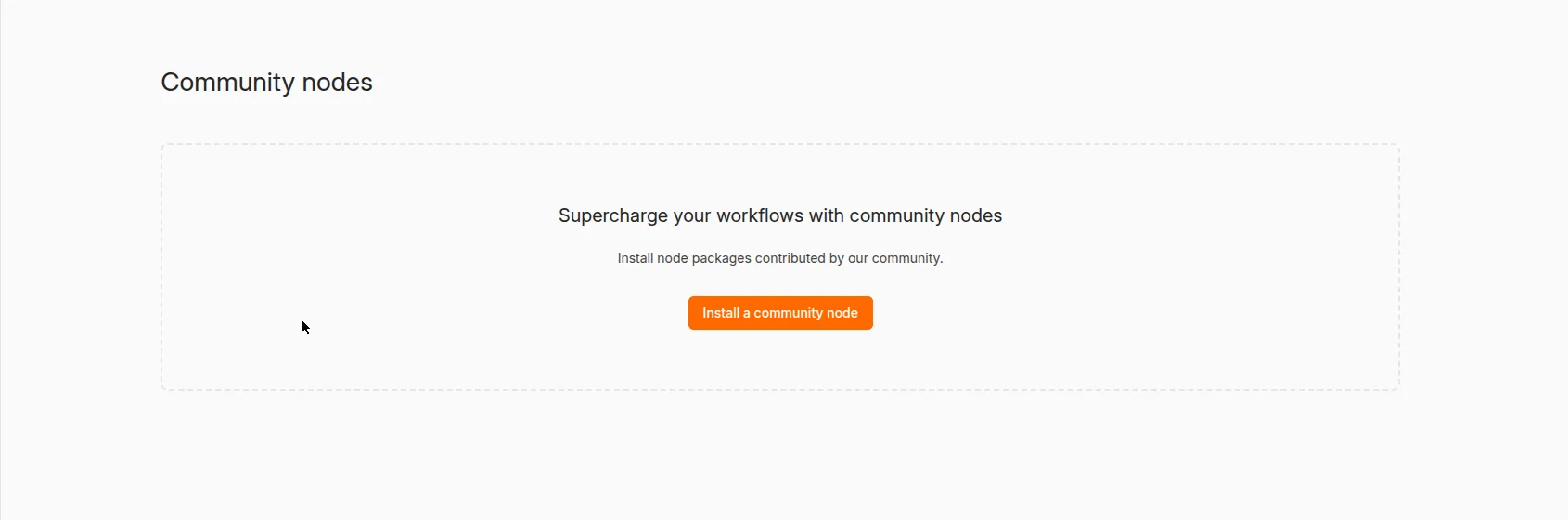
In the n8n UI, open Settings > Community Nodes. Every package installed through the UI is listed here with its version.
For a second opinion on disk, check the data directory:
ls <n8n-data>/nodesEach subdirectory here is an installed community node package. Compare the two lists — packages installed via the N8N_COMMUNITY_PACKAGES environment variable or manual npm install show up on disk and are reconciled into the instance at startup, but they are easy to forget about in the UI.
Write the list down. You will classify each entry in the next step.
Step 2 - Check which of your nodes are verified
n8n runs a verified community node program: n8n inspects some community nodes and ships them directly in the nodes panel, but only after they meet a set of data and system security requirements. Everything else you installed from npm yourself is unverified — it was never reviewed by n8n.
How to tell them apart:
| Check | Verified | Unverified |
|---|---|---|
| Appears in the nodes panel without you installing anything | Yes | No |
| Installed via Settings > Community Nodes from npm | No | Yes |
| Reviewed against n8n’s security requirements | Yes | No |
For each package on your Step 1 list, mark it verified or unverified. The verified ones need no action in 3.0 — they keep working. Every unverified one is affected by the new default.
Warning: This classification is about review status, not quality. An unverified node from a maintainer you know and trust can be fine; a verified badge is not a guarantee either. The point of the exercise is knowing exactly which packages 3.0 will refuse to load, so none of them surprise you on upgrade morning.
Step 3 - Choose your policy before you touch the flag
The environment variable restores the old behavior, but flipping it blindly misses the point of the change. Decide which of these you are:
- Standard self-hoster: you use a handful of community nodes from maintainers you trust. Re-enable unverified packages (Step 4) and harden each one (Step 6).
- Strict environment: production credentials, compliance requirements, or a team where anyone can install nodes. Consider disabling community packages entirely with
N8N_COMMUNITY_PACKAGES_ENABLED=false, and only allow the verified set. Your workflows lose some nodes, but nobody cannpm installarbitrary code into the instance again.
There is no universally right answer; there is only the answer you chose deliberately instead of inheriting from a default. Pick one now, because Step 4 implements it.
Step 4 - Re-enable unverified packages with one environment variable
The official migration path from the 3.0 breaking changes doc is a single variable:
# docker-compose.yml
services:
  n8n:
    image: docker.n8n.io/n8nio/n8n:3.0.0
    environment:
      - N8N_UNVERIFIED_PACKAGES_ENABLED=true
Prefer docker run? Add -e N8N_UNVERIFIED_PACKAGES_ENABLED=true to your command. Same variable, same effect.
What each part does:
N8N_UNVERIFIED_PACKAGES_ENABLED— the gate.truerestores the 2.x behavior: the UI can install community packages from npm again, and already-installed unverified packages load at startup.false(the new 3.0 default) blocks both — new installs fail, and 3.0 also refuses to load an already-installed unverified package.- Setting it on 2.x is harmless but changes nothing, since
trueis already the default there. n8n 2.x does log a deprecation warning at startup for affected instances, which is a useful early signal that you will need this variable.
Restart the container after changing the variable — n8n reads it once at startup.
You should see: Settings > Community Nodes installs succeed again, and the container logs no longer show your packages being skipped. If installs still fail, check the spelling of the variable name (it is UNVERIFIED_PACKAGES, plural) and confirm the container actually restarted with the new environment (docker inspect the running container’s Env).
Step 5 - Install (or reinstall) the node and verify it loads
With the flag set, install the way you normally would:
- Go to Settings > Community Nodes and select Install.
- Enter the package name, e.g.
<package-name>. - Accept the risks prompt and select Install.
Prefer infrastructure-as-code? Pin the package in your Compose file instead — n8n reconciles N8N_COMMUNITY_PACKAGES at startup:
environment:
  - N8N_UNVERIFIED_PACKAGES_ENABLED=true
  - N8N_COMMUNITY_PACKAGES=[{"name": "<package-name>", "version": "1.2.3"}]
The version field is the load-bearing part: pinning an exact version means a maintainer’s future breaking change cannot silently rewrite your workflows on the next restart. (n8n’s own docs list maintainer breaking changes as one of the top risks of community nodes.)
Verify everything works: search the nodes panel for the new node, drop it into a test workflow, and execute. A green execution with real output — not just “node loaded” — is the proof. Then check one production workflow that depends on a re-enabled package and confirm it still runs end to end.
Step 6 - Harden every unverified package you keep
Re-enabling the flag gets you back to the 2.x default, which is exactly the posture n8n decided was too permissive to ship. Earn the =true with this checklist:
- Pin exact versions in
N8N_COMMUNITY_PACKAGES(Step 5). Floatinglateston community code is how breaking changes reach you at 3 AM. - Prefer verified nodes wherever one covers your use case — they passed n8n’s security review.
- Read before you install. Open the package’s repo: recent commits, responsive maintainer, real users in issues. An npm package with no repo link and 40 downloads is not a dependency, it is a gamble.
- Segment your instances. Do not run experimental community nodes on the same instance that holds production credentials. A second small instance for untrusted nodes is cheap; a credential leak is not.
- Report bad nodes to [email protected] if you find malicious behavior — n8n asks the community to do exactly this.
- Re-audit on every major upgrade. The verified program and the package landscape both move; your Step 1 inventory should be a living list, not a one-time exercise.
Limits and what I did not test
I did not install every community node against the 3.0 pre-release — some nodes will break for reasons unrelated to this flag (removed APIs, the new task-runner timeout, the storage rename). The flag fixes the policy gate, not compatibility. And 3.0 is still scheduled, not shipped: the breaking-changes document is a living page, so re-check it before upgrade day. If a package you depend on is abandoned, the honest fix is replacing it before October, not pinning a dead version forever.
FAQ
Will my existing unverified nodes stop working when I upgrade to 3.0?
Yes, unless you set the flag. n8n 3.0 refuses to load an already-installed unverified package when N8N_UNVERIFIED_PACKAGES_ENABLED is false — community node maintainers are already documenting this for their users. Set the variable before you upgrade, not after workflows start failing.
Does this affect n8n Cloud?
The environment variable is a self-hosting control. On n8n Cloud, community nodes are managed through the Cloud admin panel rather than env vars, so check your Cloud workspace settings instead of your Compose file.
Is setting the flag back to true unsafe?
It restores the 2.x default, which millions of instances ran for years. The risk was never the flag — it is the packages you install under it. Steps 2, 3, and 6 are what make =true a deliberate choice instead of an inherited one.
Key Takeaways
- n8n 3.0 flips
N8N_UNVERIFIED_PACKAGES_ENABLEDtofalse— unverified community packages neither install nor load unless you opt in. - Verified nodes are unaffected; only npm-installed, unreviewed packages hit the new gate.
- The fix is one variable —
N8N_UNVERIFIED_PACKAGES_ENABLED=truein your container environment, then restart. - Pin exact package versions — maintainer breaking changes are the quieter risk n8n’s docs warn about.
- Unverified code runs with full machine and data access — audit the repo, segment instances, and re-check on every major upgrade.
Next step: open n8n’s Settings today and run the 3.0 migration report — it flags this exact issue on your instance, plus the other quiet killers in our n8n 3.0 breaking-changes checklist. Work through the report this week and October’s upgrade becomes a non-event.