Searches for “openai agent kit” just broke out in the US — it is the #1 rising related query for “n8n” in Google Trends’ past-7-days data, and the reason is a deadline, not a launch. OpenAI is shutting down Agent Builder, the visual canvas at the centre of AgentKit, on 30 November 2026. That is 18 days from today. The Evals platform and the reusable-prompts API go with it.
If you built anything on Agent Builder’s canvas, this is a migration project now, not a product note. This article covers exactly what is shutting down, the three ways out OpenAI itself offers, and the rebuild pattern I would use in n8n — because the canvas you are losing is the thing n8n never took away.
Note: this is OpenAI’s Agent Builder, the visual canvas inside AgentKit. It is not n8n’s Agent Builder, the newer agent-creation UI inside n8n — that one is unaffected, and it is, fittingly, one of the places your workflows can go.
What is shutting down — and what stays
OpenAI announced the deprecation on 3 June 2026. Its deprecations page lists the dates plainly:
| Part | Status | Date |
|---|---|---|
| Agent Builder (visual canvas + hosted workflows) | Shutting down | 30 November 2026 |
| Evals platform (dashboard and API) | Read-only now, then shutting down | Read-only from 31 October 2026, shuts down 30 November 2026 |
Reusable prompts (v1/prompts) | Shutting down | 30 November 2026 |
| ChatKit (embeddable chat UI) | Staying | No change |
| Agents SDK (code-first) | Staying | No change |
The hard deadline is 30 November. After that you cannot open the canvas to export a workflow — the export path dies with the product. The Evals platform already went read-only on 31 October, so if your test cases and grader definitions live there, you can still read them today but you cannot change them.
For context, this is the second shutdown in the same sequence: the Assistants API, which AgentKit was meant to replace, already shut down on 26 August 2026. AgentKit itself is barely a year old — it launched on 6 October 2025.
What AgentKit was
AgentKit bundled three things: a web-based visual builder called Agent Builder, where you dragged nodes onto a canvas to define an agent’s behaviour; a hosted runtime that ran those workflows and served them through ChatKit, OpenAI’s embeddable chat interface; and evaluation and tracing tools that recorded runs, scored outputs, and let you compare versions.
Underneath, the canvas generated the same primitives the OpenAI Agents SDK exposes in code: an agent definition, a list of tools, handoff rules between agents, and input and output guardrails. That detail is what makes the shutdown manageable. Agent Builder was a visual editor and a hosted runtime on top of the Agents SDK, not a separate platform. The canvas goes away. The primitives do not.
The lesson in one line: the hosted canvas was the lock-in, and the lock-in just expired on a schedule OpenAI chose.
The three ways out
OpenAI’s migration guide offers two paths. There is a third, and for many CortexFlow readers it is the best one.
Path 1 — Export to the Agents SDK
This is the path for anything your engineering team will own. The steps, from OpenAI’s own guide:
- Open the workflow in Agent Builder.
- Select Code in the top navigation.
- Select Agents SDK.
- Choose TypeScript or Python, then copy the complete export.
Treat the export as a first draft. OpenAI says plainly that it “does not convert your workflow graph or guarantee that every behavior transfers unchanged”. Branches, guardrails and tool settings all need checking. The honest way to do it: export now, run the SDK version and the Agent Builder version side by side on the same inputs while both still work, and compare the outputs before you switch traffic.
You also need somewhere to run it. Agent Builder hosted the workflow for you. The SDK runs on your infrastructure, which for most agents means a small container behind your existing API.
Path 2 — Rebuild as a ChatGPT Workspace Agent
This is the path for agents a non-developer maintains and a team uses inside ChatGPT. It needs a ChatGPT Business, Enterprise or Edu workspace with access to workspace agents. You paste the export into a new workspace agent chat, review what the builder changes, and test it with real inputs before you publish.
Two cautions from OpenAI’s own guide. Workflows “with strong determinism at their core may not migrate faithfully”, because a workspace agent is built from natural-language instructions, not a fixed graph. And connected apps, authentication and permissions all need a separate review in ChatGPT.
Path 3 — Move it off OpenAI’s agent stack entirely
Some Agent Builder workflows were really integration pipelines with one LLM call in the middle. Those are better in n8n or Make, where the deterministic steps stay deterministic. If the agent needs to mix model providers, n8n or LangGraph is the cleaner home — and unlike Agent Builder, n8n’s canvas is yours: self-hosted, exportable as JSON, and not subject to a vendor’s shutdown calendar.
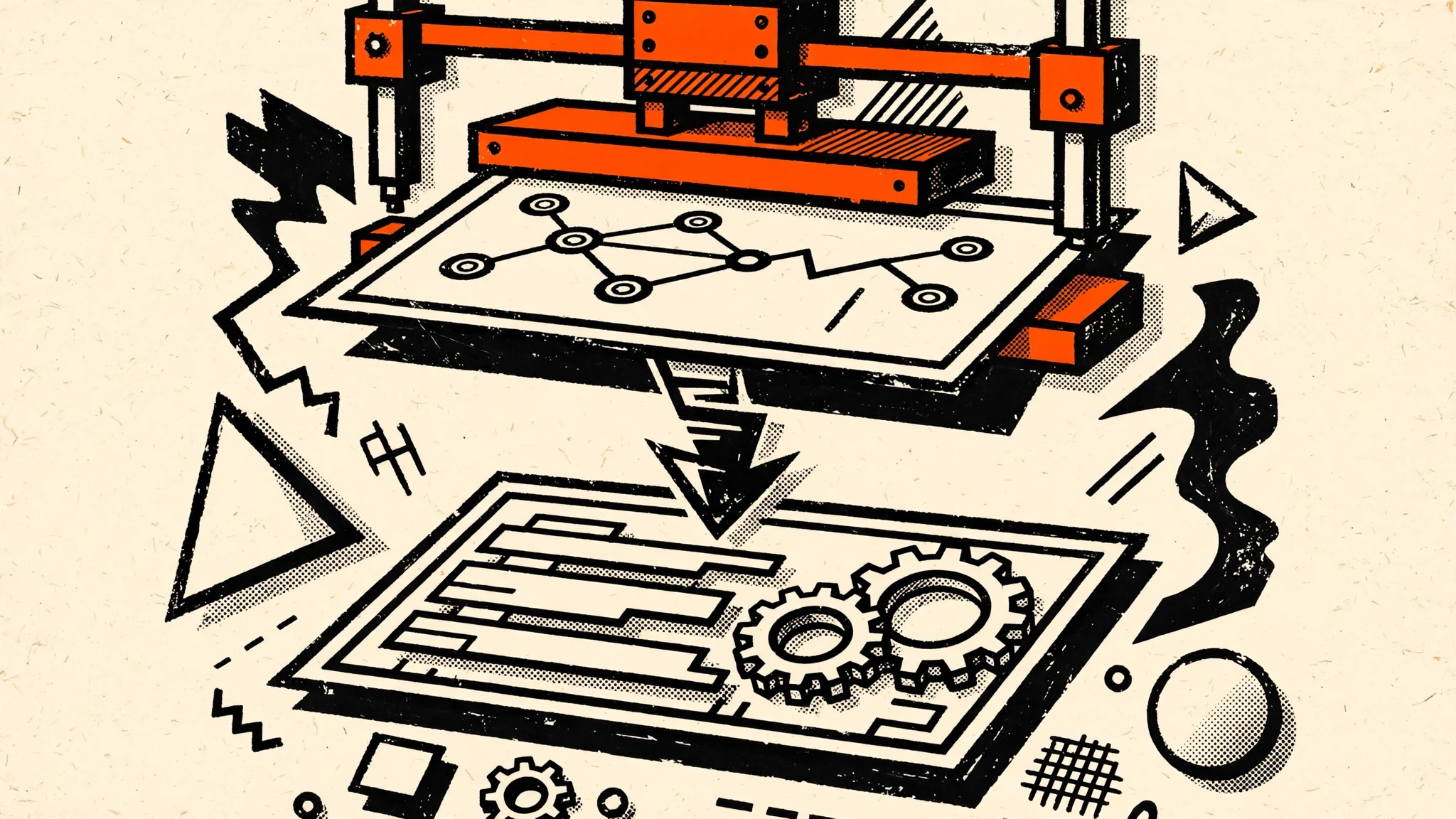
 Fig 1 — The migration press. Agent Builder’s canvas is lifted away on 30 November, the workflow passes through an export drum, and lands rebuilt on n8n’s canvas. The calendar dial is the whole story: the deadline, not the feature list, is what is driving the search spike.
The n8n rebuild pattern
If you take Path 3, here is how Agent Builder’s concepts map onto n8n. The mapping is the point: almost everything on the canvas has a direct equivalent, and the parts that do not are the parts you should have owned in code anyway.
| Agent Builder concept | n8n equivalent |
|---|---|
| Visual canvas + nodes | Workflow canvas + nodes (same mental model, JSON-exportable) |
| Agent node + instructions | AI Agent node (or a Basic LLM Chain for deterministic steps) |
| Tools (web search, file search, code interpreter) | HTTP Request, Code, and tool nodes — or the MCP Client node against any MCP server |
| Guardrails (input/output) | IF / Switch nodes + a human approval step before side effects |
| Handoffs between agents | Execute Workflow (sub-workflow) nodes, or separate workflows triggered by webhook |
| Hosted runtime | Your n8n instance (self-hosted or Cloud) — you control uptime and versions |
| Evals (scoring runs) | No built-in equivalent — run Promptfoo (OpenAI’s own recommendation) against your workflow’s webhook, or a test workflow with fixed inputs and expected outputs |
Two things worth saying plainly. First, the guardrails row is where most migrations quietly fail. On Agent Builder, guardrails were a node you dragged in. In n8n, the equivalent is a deliberate design choice: an approval gate before money moves, a spend cap as a node, and an audit log of every approved action. If you rebuild without those, you have not migrated — you have just moved the risk. Second, the evals row is a genuine gap: n8n has no Evals platform. Do not let the eval suite lapse because the tool changed; an eval suite is what catches a model upgrade that quietly makes a downstream task worse.
If your agent was embedded with ChatKit, note that ChatKit itself stays — but the setup most teams used does not. OpenAI’s recommended integration had OpenAI host the backend from an Agent Builder workflow, and that backend goes on 30 November. The supported route is now the advanced integration: you run your own server with the ChatKit Python SDK, backed by an agent you built with the Agents SDK. The chat interface your users see can stay. What sits behind it moves to your server.
What to do this week
The deadline rewards starting now, not on 29 November. In order:
- Inventory (today). List every Agent Builder workflow, who owns it, and what it touches. Include the ones nobody remembers building.
- Export everything (this week). Open each workflow, export to the Agents SDK in TypeScript or Python, and commit the export to version control. Do this even for workflows you plan to rebuild in n8n — the export is the specification of what the workflow did.
- Copy your evals (this week). Evals are read-only since 31 October but still readable. Copy test cases and grader definitions out now, and point them at Promptfoo.
- Decide the destination per workflow (by 20 November). Code-owned agent → Agents SDK. Non-developer-maintained team agent → Workspace Agents. Integration pipeline with one LLM call → n8n. Do not pick one destination for all of them.
- Run old and new side by side (before 30 November). Same inputs, compare outputs. Switch traffic only after the new version matches on your real cases.
- Retire the canvas (30 November). After the shutdown, verify nothing still calls a hosted Agent Builder workflow — especially ChatKit embeds pointing at the old backend.
What this is not
Honesty about the timeline matters here. The deprecation was announced on 3 June 2026 — five months ago. This is not a surprise shutdown, and anyone who says OpenAI pulled the rug overnight is wrong. The news is the deadline: 18 days, a read-only Evals platform, and a search spike from builders who are only now discovering the June announcement in their own stacks. If you have been running Agent Builder in production since June without a migration plan, the June announcement was your warning and November is the bill.
Also honest: the Agents SDK is the right default for most production agents, and for a code-owned agent there is no reason to leave OpenAI’s stack at all. The case for n8n is specific — you want a visual canvas that cannot be withdrawn, deterministic steps that stay deterministic, and the freedom to mix model providers. If none of those matter to you, Path 1 is shorter and better.
FAQ
Is OpenAI AgentKit being discontinued?
In part. OpenAI is shutting down Agent Builder, the visual canvas, and the Evals platform on 30 November 2026. The Agents SDK and ChatKit stay. OpenAI announced the change on 3 June 2026.
What happens to my Agent Builder workflows after 30 November 2026?
They stop working. The canvas and the workflows hosted in it will no longer be available, and you cannot open the canvas to export them after the shutdown. Export before the deadline.
Does the Agents SDK export preserve my workflow exactly?
No. OpenAI says the export “does not convert your workflow graph or guarantee that every behavior transfers unchanged”. Branches, guardrails and tool settings need checking — run the old and new versions side by side on the same inputs.
Can I rebuild an Agent Builder workflow in n8n?
Yes, for most workflows. Canvas → workflow canvas, tools → nodes or the MCP Client node, guardrails → IF/Switch nodes plus a human approval step, handoffs → sub-workflows. The one gap is evals: n8n has no built-in evals platform, so use Promptfoo or a test workflow with fixed inputs.
What about ChatKit embeds?
ChatKit stays, but the hosted backend most teams used goes away on 30 November. The supported route is the advanced integration: your own server with the ChatKit Python SDK, backed by an Agents SDK agent.
Key Takeaways
- Agent Builder, Evals and
v1/promptsshut down on 30 November 2026 — 18 days from today, and the canvas cannot be opened to export after that date. - Export first, decide second. Commit an Agents SDK export of every workflow to version control this week, even for workflows you plan to rebuild elsewhere — the export is the specification.
- Copy your evals now. Evals went read-only on 31 October; OpenAI points to Promptfoo as the replacement, and an eval suite is what catches silent model regressions.
- Pick the destination per workflow, not per company. Agents SDK for code-owned agents, Workspace Agents for non-developer-maintained team agents, n8n for integration pipelines with one LLM call in the middle.
- The real lesson is about hosted canvases. A visual builder you do not control can be withdrawn on a vendor’s schedule. Code and self-hosted workflows cannot — which is why the canvas you rebuild on should be one you own.
Next: if you take the n8n path, start with our guide to connecting n8n to an MCP server — the MCP Client node is how an n8n agent reaches the same tools your Agent Builder workflow used — and our n8n 2.43 guardrails release for the approval-gate pattern your rebuild needs.